Assistive technologyScreen readersVoiceOver Screen Reader
By: Apple
Website: apple.com/accessibility/features/?vision
Pricing: free
Bug tracker: developer.apple.com/feedback-assistant/
VoiceOver Screen Reader
Related resources:
- Overview (current)
- Testing
VoiceOver is the screen reader built into Apple platforms like macOS and iOS. In fact it’s the only screen reader available for Macs, iPhones, and iPads. It’s a mature screen reader that’s been in development since 2005 (for macOS) and 2009 (for iOS with the third generation iPhone). Although macOS VoiceOver and iOS VoiceOver share the same name and many behaviors, they are separate products with at least partially separate codebases.
Popularity
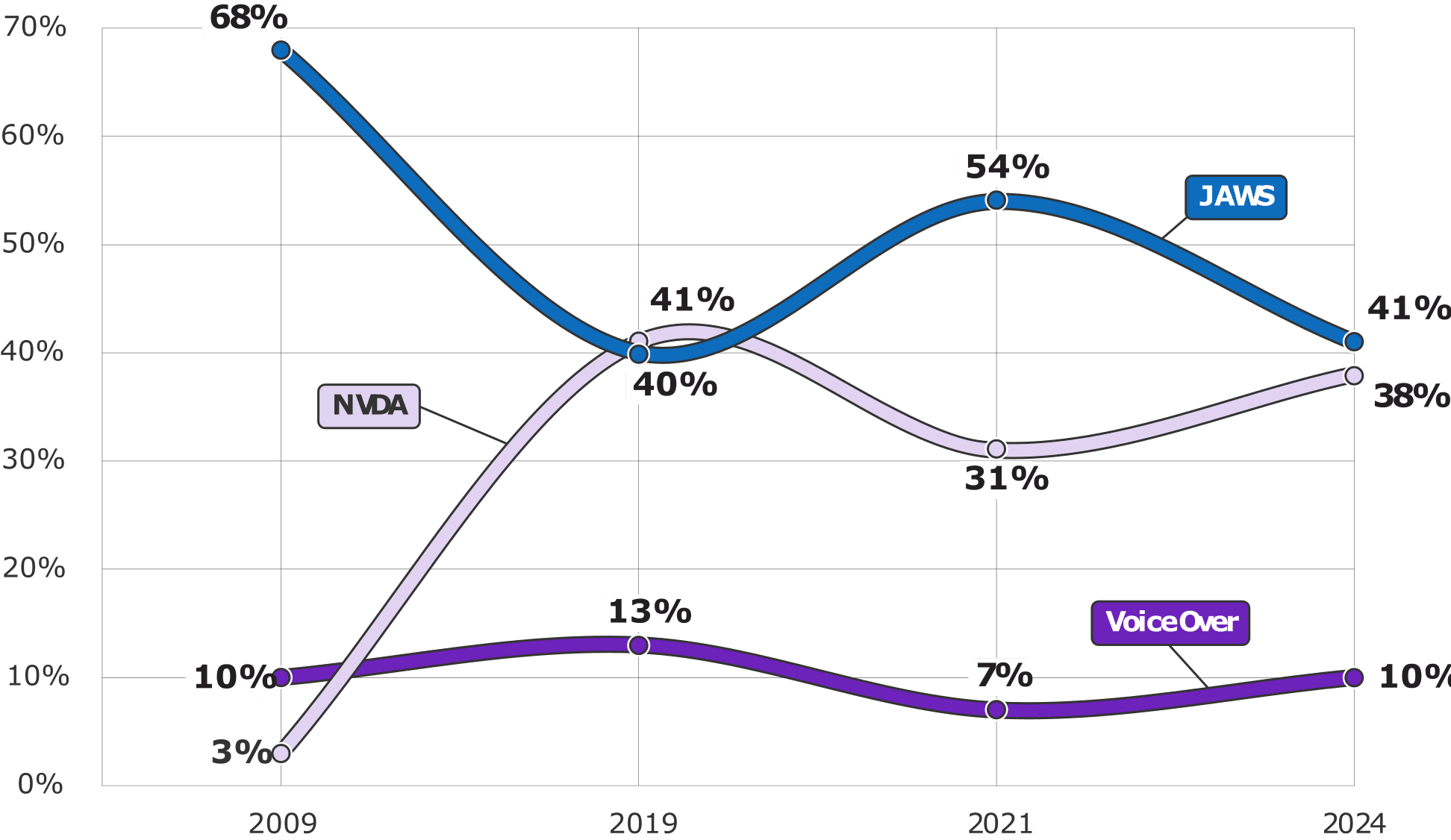
As of WebAIM’s most recent screen reader survey, released in 2024, macOS VoiceOver continues to be fairly unpopular choice, showing that Windows PCs are generally the desktop computer of choice among respondents.
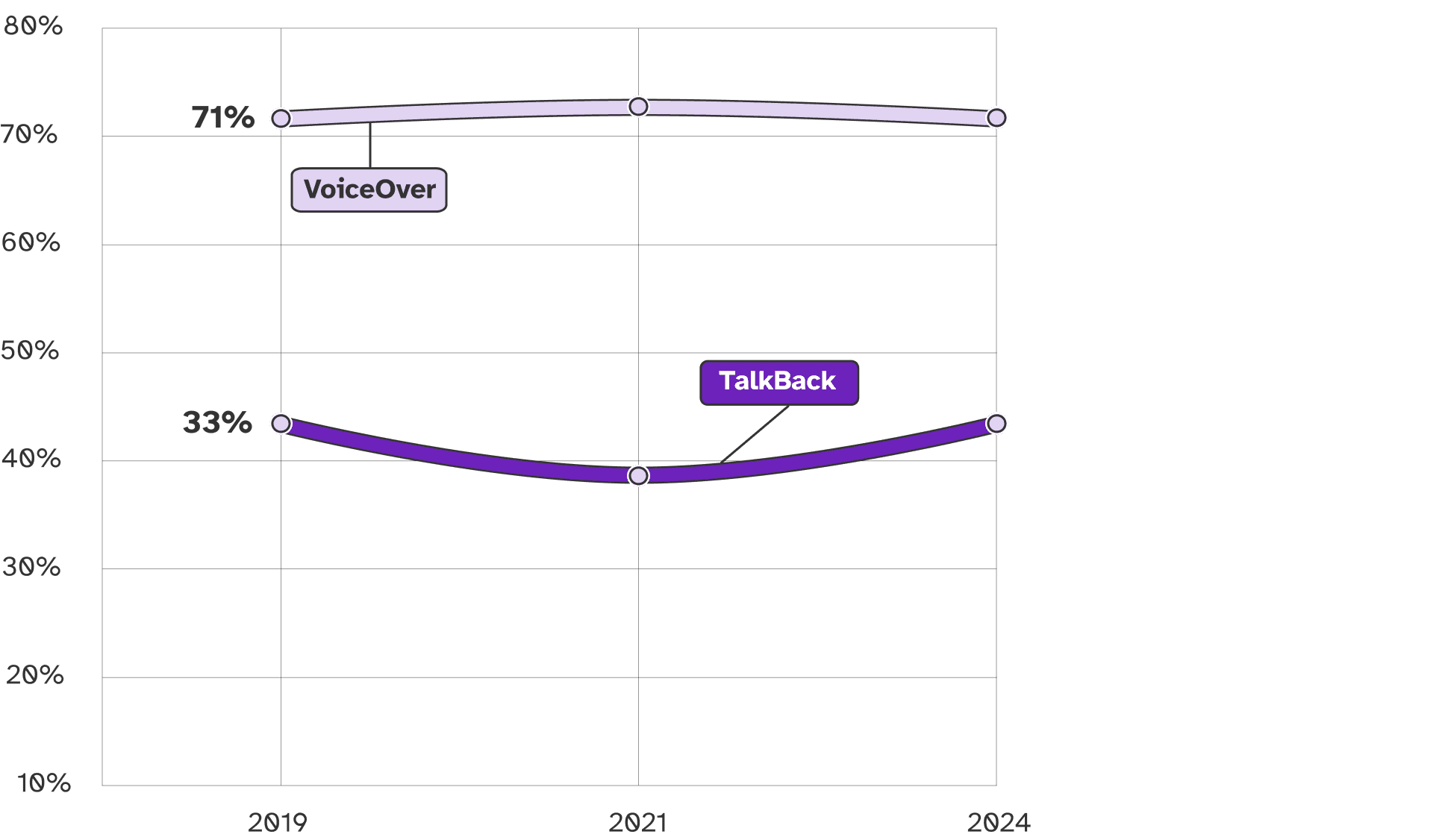
However, on mobile the opposite is true. iOS VoiceOver is the dominant choice at over 70%.
Features
VoiceOver is primarily designed to work with Apple’s browser, Safari, and native apps built using Apple’s frameworks. The speech synthesizer supports 8 of Apple’s own voices as well as much loved Eloquence and Siri voices in multiple languages, on both macOS and iOS. As it’s built into the OS, it can run on all secure screens, like logon. It’s customizable via Activities, which can automatically configure VoiceOver to the foreground app, and refreshable brailled displays are supported.
On-device AI image descriptions are also supported (including live while taking a photo!).
Accessibility Testing
For desktop accessibility testing, macOS VoiceOver is not a first choice given its relatively low popularity, but as it’s the only screen reader available for macOS, it’s important to support.
While it can work with Chrome, Edge, and Firefox, there have historically been numerous issues (Firefox lists only “basic support”). Apple tests VoiceOver with Safari first, so that’s also where we recommend you start.
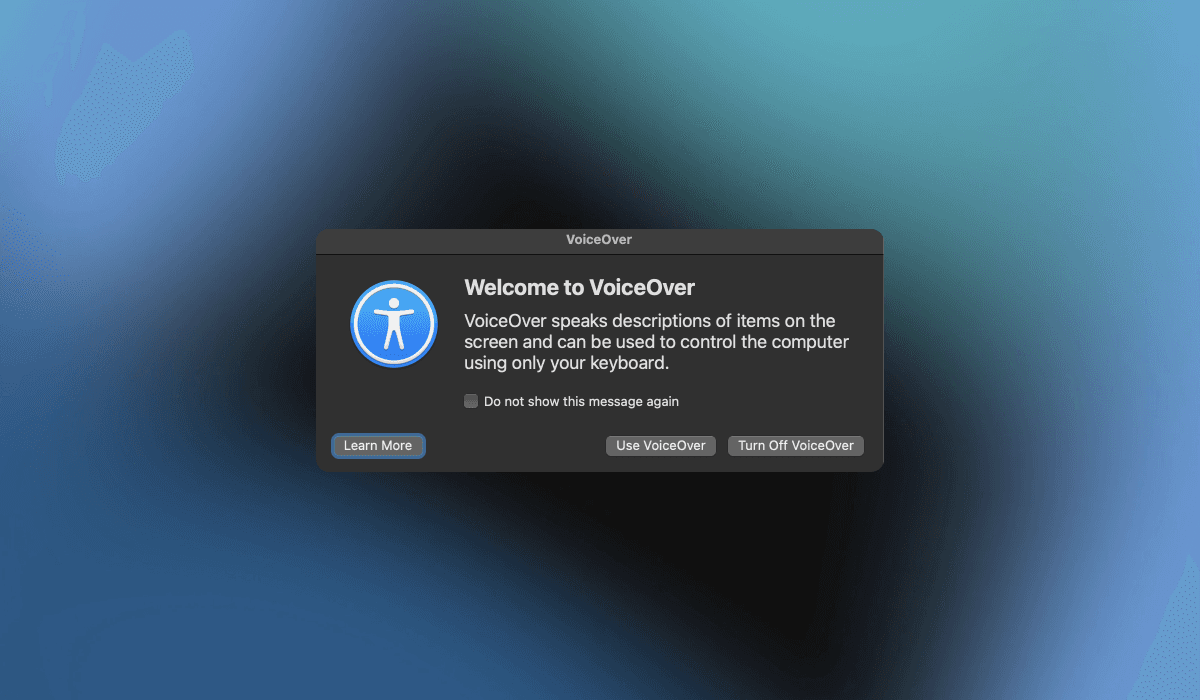
macOS VoiceOver helpfully has a captions panel that opens by default.
XCode Accessibility Inspector is an important companion when conducting macOS VoiceOver testing, as it provides a view of the underlying AX API.
For mobile testing, iOS VoiceOver is a must. Unfortunately it requires a physical iPhone or iPad — VoiceOver is not supported in the iOS Simulator (Accessibility Inspector has a “Speech” feature, but it is not a reasonably equivalent alternative). A word of warning — achieving good compatibility with macOS VoiceOver does not guarantee that things will work well in iOS VoiceOver.
iOS VoiceOver also offers an option to enable a small captions line at the bottom of the display.
Getting Started
If you’re on a Mac, navigate to System Settings > Accessibility > VoiceOver. It works similarly under the Settings app on iPhone and iPad.
If you’re looking to test with VoiceOver, but are on a Windows PC or running Linux, Assistiv Labs provides remote access.
Alternatives
While there is no 3rd party alternative to VoiceOver on macOS or iOS, if you’re considering switching to Windows:
Or Android: