Assistive technologyScreen readersTalkBack Screen Reader Overview

TalkBack Screen Reader Overview
Related resources:
- Overview (current)
- Testing
TalkBack is the screen reader built by Google for Android. Relative to iOS’s VoiceOver, it’s a newer screen reader, introduced in 2011. Today it’s included in the Android Accessibility Suite. Samsung devices historically had a variant of TalkBack named Voice Assistant that has since merged into a unified TalkBack preinstalled on Samsung phones (it can be viewed as a superset).
Popularity
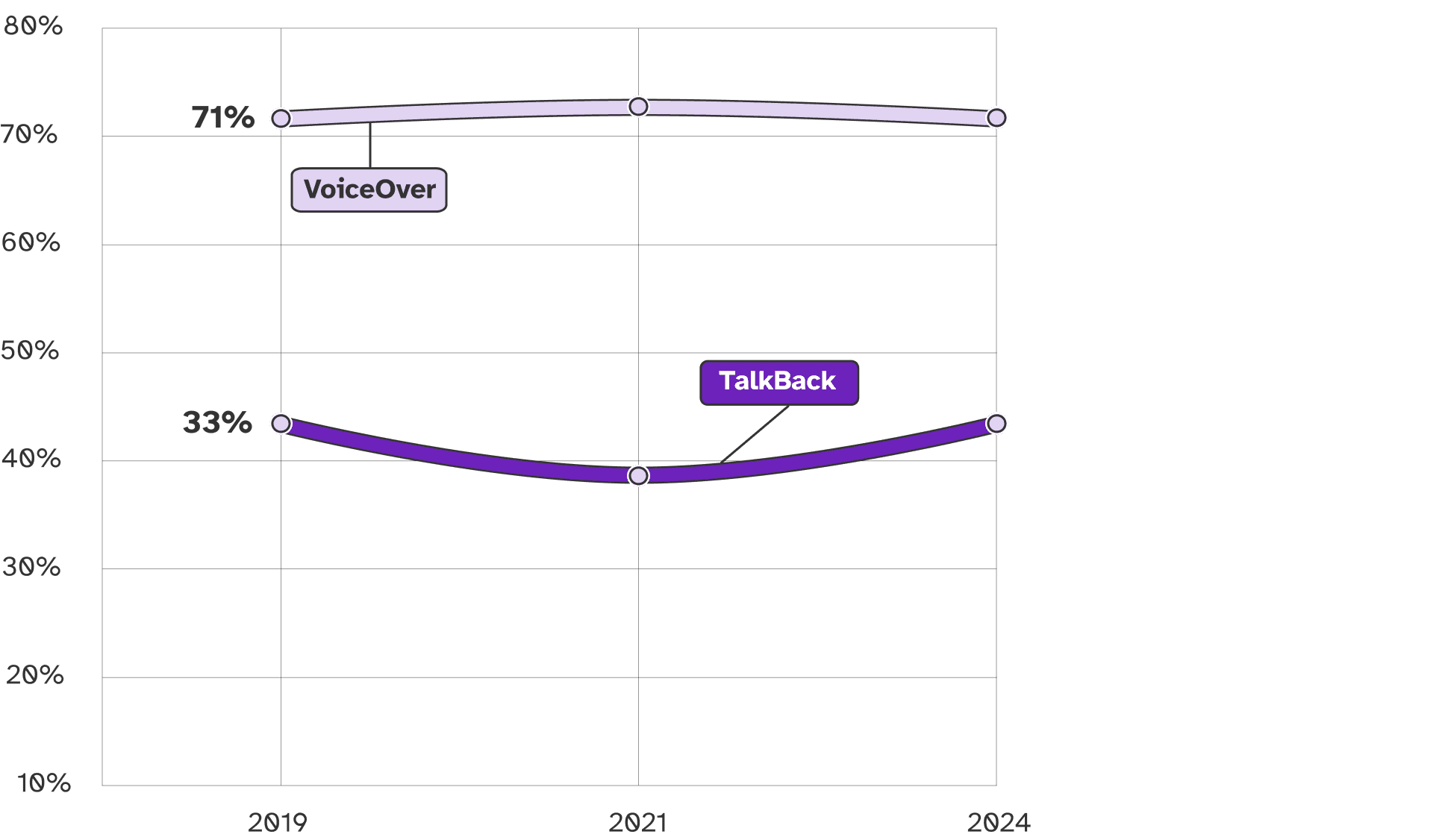
As of WebAIM’s most recent screen reader survey, released in 2024, TalkBack continues to be outpaced by VoiceOver, showing that iPhones are generally the mobile device of choice among respondents.
Features
TalkBack is primarily designed to work with Google Chrome and native apps built using Google’s frameworks. The speech synthesizer supports many different voices, including 3rd party synths. Eloquence is available from a 3rd party, but requires a subscription. It can run on all secure screens, like logon (provided that Android permission is granted on install). Refreshable braille displays are supported.
There is unfortunately no support for per-app customization similar to VoiceOver Activities.
On-device AI image descriptions are also supported, as well as unlabelled icon descriptions. Guided Frame can help with taking photos with the camera. You can “Ask Gemini” questions about the current screen
Accessibility Testing
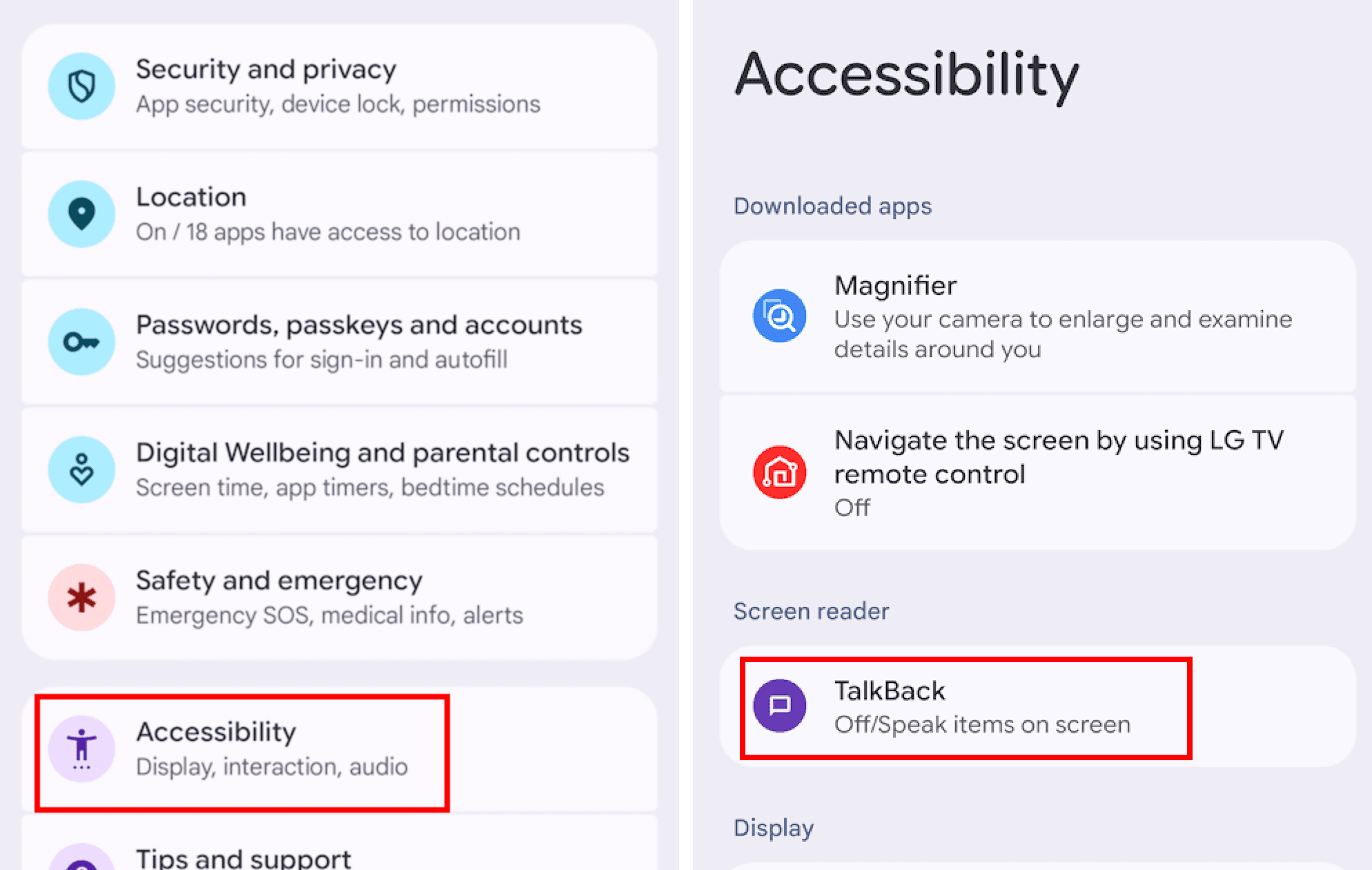
Android is an essential platform in the mobile ecosystem and TalkBack is the screen reader to test with it.
There are many Android browsers, but Google tests TalkBack with Chrome first, so that’s also where we recommend you start.
Android Studio Layout Inspector is an important companion when conducting TalkBack testing, as it provides a view of the underlying accessibility API.
Speech captions are available via Advanced Settings > Developer Settings > Display speech output.
Getting Started
On your Android device, navigate to Settings > Accessibility > TalkBack.
If you’re looking to test with TalkBack, but don’t have an Android device, Assistiv Labs provides remote access.
Alternatives
Other popular screen readers for Android include:
And if you’re thinking of switching to Apple: