Safari Audio Autoplay Issues
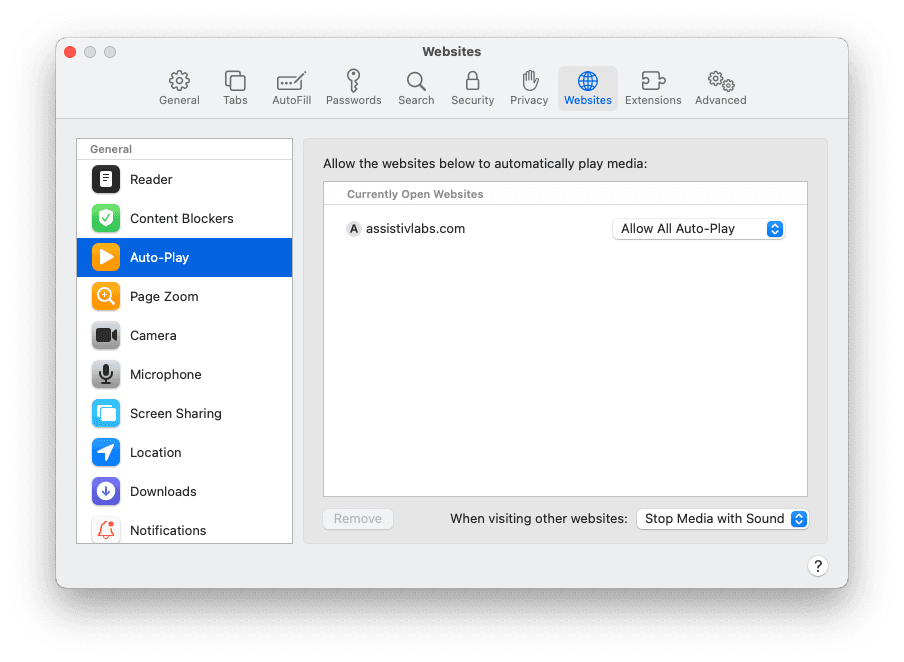
Safari blocks web audio by default, which prevents screen reader audio from being played in Assistiv Labs. To fix:
- Open Safari Preferences cmd + , and choose the Websites tab
- Choose Auto-Play from the sidebar and select assistivlabs.com
- Make sure Allow All Auto-Play is selected for assistivlabs.com